

Why is my website slow? 9 causes and how to fix them
If you are asking why is my website slow, you are usually asking a bigger question underneath it: why am I losing enquiries. We rebuild and repair sites for a living, so this is the same diagnosis we run for clients, in plain English. We will cover how to measure your speed properly, the nine causes we find over and over, how we fix each one, and what “fast enough” actually means in 2026.
Most slow websites come down to five things: oversized images, cheap shared hosting, too many plugins, no caching, and heavy scripts loading before your content. Any one of them can push your load time past three seconds. The fix always starts with measuring, so you know which one is actually costing you.
How to find out why your website is slow
Do not guess. Run your home page and your two most important pages through Google PageSpeed Insights, then look at two separate things. Lab data is a simulated test on a throttled connection. Field data is what real visitors experienced over the last 28 days. Field data is the one that matters, because it reflects real phones on real networks.
Google’s Core Web Vitals documentation explains the three metrics you are being judged on. Write down your scores before you change anything, otherwise you will never know which fix worked. Then check the same pages on mobile, because mobile is almost always where the damage shows up.
If you would rather skip the guesswork, our free website audit does this properly and hands you a prioritised list instead of a score out of 100.
The 9 causes we find over and over
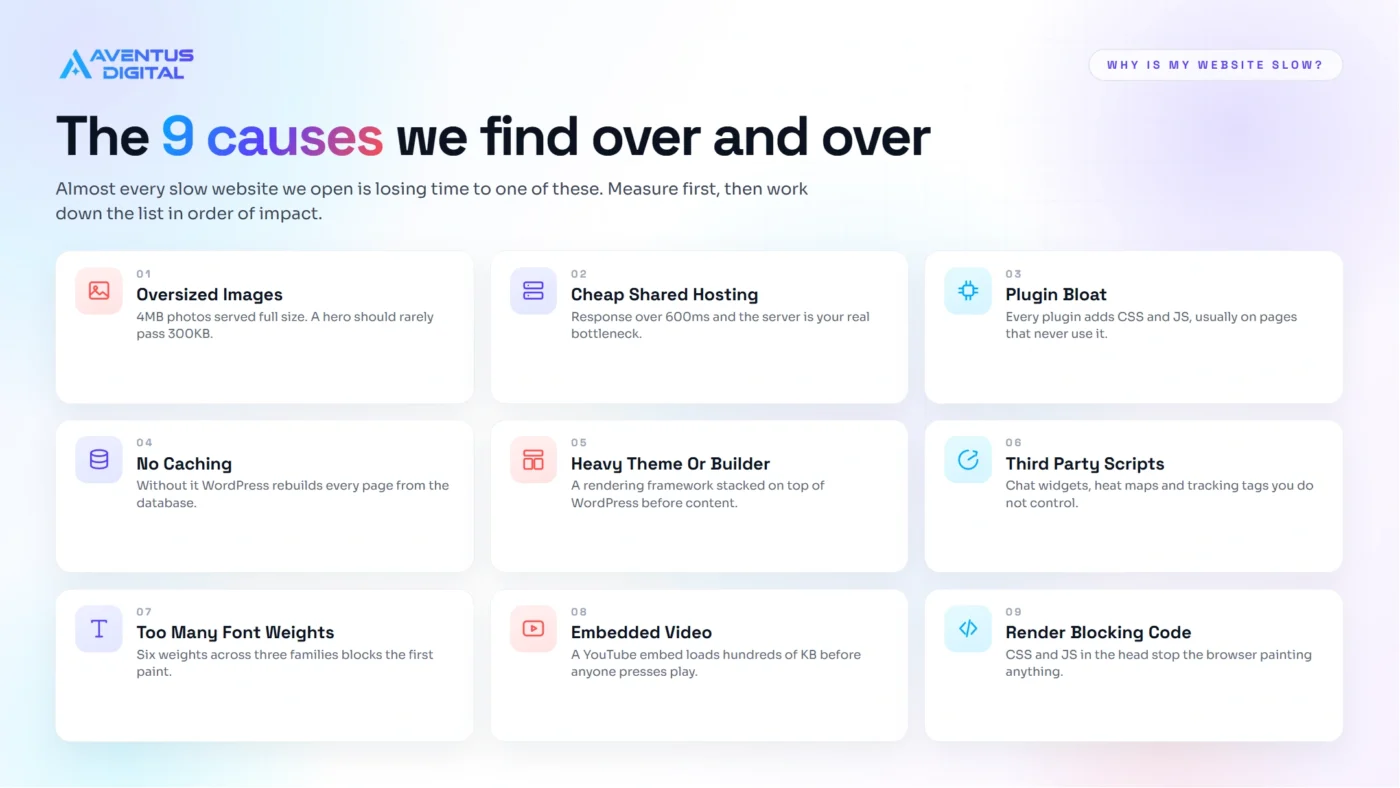
Across hundreds of builds and rescues, the same nine problems account for almost every slow site we open. Here they are at a glance, before we go through the fix for each one.
Cause one: your images are far too big
This is the single most common answer when a client asks why is my website slow. Someone uploads a 4MB photo straight off a phone or a stock library, WordPress serves it at full size, and the browser has to download the whole thing before the page feels usable.
How we fix it:
- Compress and resize every image before upload, so a hero image lands under 300KB.
- Convert the library to WebP so modern browsers download a much smaller file.
- Set correct dimensions so the browser is not scaling a 4000 pixel wide image down to 800 pixels.
- Lazy load anything below the first screen so it does not compete with your headline.
On a photo heavy home page this one fix alone can halve your load time. It is also part of every build we ship, which is why our sites launch fast rather than needing rescuing six months later.
Cause two: cheap shared hosting
Hosting at £2 a month means your site sits on a server with hundreds of other sites competing for the same resources. The symptom is a slow Time to First Byte, which means the server is still thinking before it has sent a single byte of your page. Nothing you do to your images will fix that.
How we fix it: if your server response time is consistently above 600 milliseconds, we tell you straight that hosting is the bottleneck, then handle the migration to a proper managed WordPress host with SSD storage, a current PHP version and a CDN included. We move the site, the emails and the DNS without downtime, so you are not left staring at a broken domain on a Friday afternoon. It is usually the cheapest meaningful speed upgrade available to a small business.
Cause three: plugin bloat
Every plugin loads its own CSS and JavaScript, often on every single page, whether that page uses it or not. We regularly open a site with 40 plus active plugins where a dozen are doing a job the theme already does.
How we fix it:
- Audit every active plugin and record what it actually loads on the front end.
- Remove anything duplicating a feature the theme already provides.
- Replace heavy offenders such as sliders and chat widgets with lighter equivalents.
- Delete deactivated plugins rather than leaving them dormant in the database.
Keeping that list clean is ongoing work, not a one off. That is exactly what our website maintenance care plans are for, starting at £79 a month, with updates tested before they go live rather than applied blind.
Cause four: no caching in place
Without caching, WordPress rebuilds your page from the database on every single visit. Caching stores a finished copy and serves that instead, which cuts the work dramatically.
How we fix it: we configure page caching, browser caching, database caching and minification properly, then add a CDN so your files are served from a location near the visitor rather than from one server in one country. Configured badly, caching breaks forms, checkouts and sitemaps, which is why we test the whole site after switching it on rather than ticking every box and hoping. If you sell internationally this matters even more, because distance genuinely adds milliseconds.
Cause five: a heavy theme or page builder
Some builders load an entire rendering framework on top of WordPress before your content appears. That is why we build on Flatsome, where UX Builder is part of the theme rather than a bolt on plugin, so the output stays lean. As Flatsome experts we see the difference in Core Web Vitals scores every week.
How we fix it: if you are locked into a heavy theme, the honest answer is that patching it has a ceiling. At some point a rebuild costs less than the enquiries you are losing. A website redesign starts at £299 and rebuilds the site on a fast foundation, keeping your content and your rankings rather than starting from zero.
Cause six to nine: the quiet killers
These four rarely get blamed, but together they often account for more than a second of delay.
- Third party scripts. Chat widgets, heat maps, review carousels and multiple tracking tags all load external files you do not control. We audit the lot and keep only the ones earning their place, then defer the rest.
- Fonts. Loading six weights of three font families blocks rendering. We cut it to two families and two or three weights, served locally so there is no extra connection to wait on.
- Embedded video. A YouTube embed can pull in several hundred kilobytes before anyone presses play. We swap it for a click to play thumbnail that loads the player only when someone wants it.
- Render blocking CSS and JavaScript. Files loading in the head stop the browser painting anything. We inline what the first screen needs and defer everything else.
On an online shop these compound fast, because product pages carry more scripts than any other page on the site. Our ecommerce websites are built with that budget in mind from the first wireframe.
What counts as fast enough
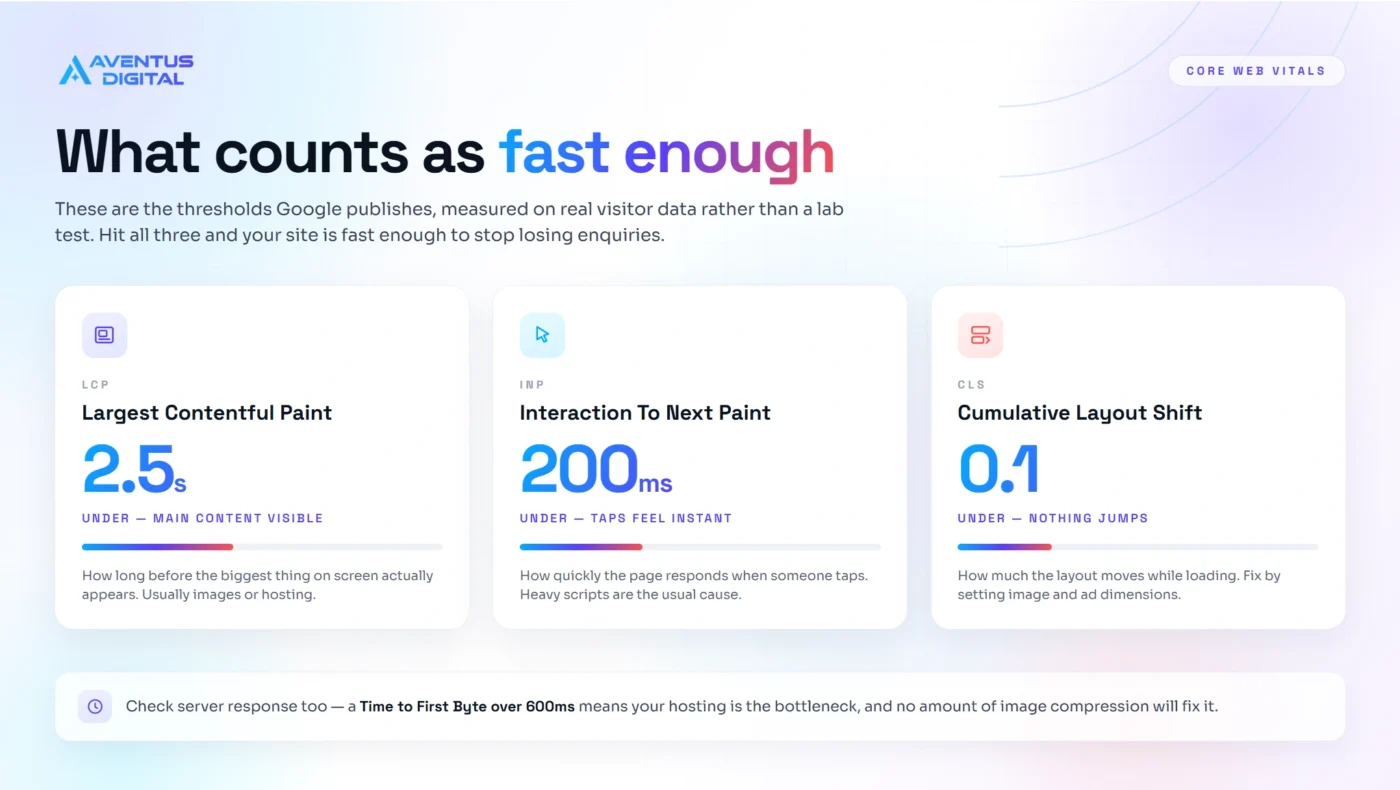
There is a clear target rather than a vague sense of “quicker”. Aim for Largest Contentful Paint under 2.5 seconds, Interaction to Next Paint under 200 milliseconds, and Cumulative Layout Shift under 0.1. Those are the thresholds published on web.dev, and they are measured on real visitor data rather than a lab test.
Speed is not only a ranking factor, it is a revenue factor. Every extra second before your page becomes usable pushes more people back to the search results, which is one of the 5 signs your website is costing you customers. If you run a shop, a slow product page is a shop with the door half closed.
How Aventus Digital helps
If you have read this far and still want to know why is my website slow on your specific site, we will tell you. We are a team of top rated freelancers with 7 plus years of experience and 650 plus five star reviews, now operating as one agency for UK and worldwide businesses. Here is how we usually help, depending on where your site sits.
- Not sure what is wrong. Start with a free website audit and we will show you exactly what is dragging your pages down, in order of impact.
- Site is sound but slow. Our website maintenance care plans handle speed, updates, backups and security every month from £49.
- Site is dated and heavy. A website redesign from £299 rebuilds it fast without losing your content or rankings.
- Starting fresh. Our website design service and ecommerce websites ship fast by default.
- Ranking as well as loading. Our SEO and GEO Audit covers speed alongside content structure, so you are visible in Google and in AI search.
You can see the results in our portfolio. Every project includes SEO, GEO and AEO from day one, not as an upsell afterwards.
You Might Also Like
- 5 signs your website is costing you customers the warning signs most owners miss.
- Is SEO still relevant for AI search? how AI Overviews choose the sources they cite.
- Work with a Flatsome expert premium Flatsome builds, done for you.
- WordPress vs Wix & Squarespace: which is better for a UK small business?

Author
Zubayed Feroz
Founder of Aventus Digital
Frequently Asked Questions
Why is my website slow all of a sudden?
A sudden slowdown usually traces back to a recent change rather than a gradual decline. The most common causes are a new plugin, a theme or plugin update, a large batch of uncompressed images, a caching plugin that has been reset, or a hosting issue at the server end. Check what changed in the last two weeks first, then test your server response time to rule out the host.
How fast should my website load?
Aim for your main content to appear within 2.5 seconds on mobile, which is Google’s Largest Contentful Paint threshold. Anything beyond three seconds and you start losing a measurable share of visitors before the page has even finished loading. Measure on mobile with field data rather than a desktop lab test, because that is closer to what your customers actually experience.
Do plugins slow down WordPress?
Some do, and the number of plugins matters less than what each one loads. A well built plugin that only loads its files on the pages that need them costs you almost nothing. A slider, chat widget or tracking script that loads sitewide costs you on every page. Audit what each plugin adds to the page rather than simply counting them.
Does a slow website affect SEO?
Yes, in two ways. Core Web Vitals are a confirmed ranking signal, so a slow page competes at a disadvantage against a fast one with similar content. The bigger effect is behavioural: slow pages get abandoned, and pages people abandon tend to lose ground over time. Speed protects both your rankings and your conversion rate.
Can I fix a slow website myself?
You can handle the biggest wins yourself: compressing images, removing plugins you do not use, and installing a caching plugin. Those three steps fix a large share of slow sites. Server level issues, render blocking scripts and a heavy theme need more technical work, and if the theme itself is the bottleneck a rebuild is usually better value than endless patching.
Related Blogs

Which Hosting Is Best for Peptide Websites?
Short answer: Hostinger is what we put research peptide stores on, and our link takes [...]
Oct

Is It Legal to Sell Research Peptides in the UK? The MHRA Line, Explained for Store Owners
Short answer: selling research peptides in the UK is lawful in itself, and it stops [...]
Oct

How to Start a Peptide Business in 2026: Costs and Steps
Short answer: to start a peptide business you register the company, open the bank account, [...]
Oct

Best Ecommerce Platform for a Peptide Store (2026)
Short answer: the best ecommerce platform for peptides is a self-hosted WooCommerce store. Hosted platforms [...]
Oct

The peptide merchant account application pack that gets approved first time
Short answer: a peptide merchant account is won on evidence, not on wording. Underwriting opens [...]
Sep

Peptide Payment Processors Compared: US and UK 2026
Short answer: mainstream processors such as Stripe, PayPal and WooPayments exclude the category, so a [...]
Sep
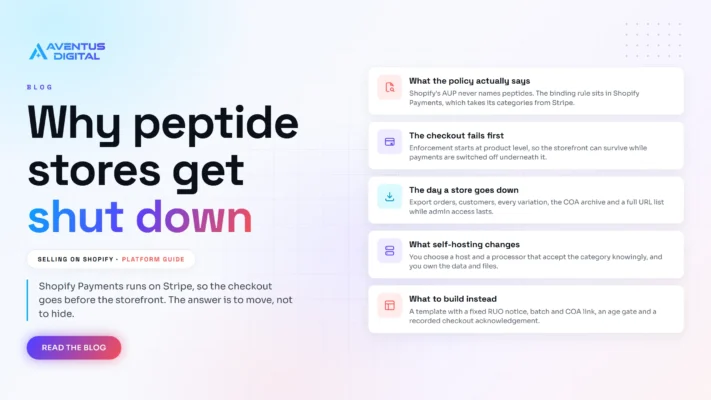
Selling Peptides on Shopify: Why Stores Get Shut Down
Short answer: not for long. You can open a store and sell peptides on Shopify, [...]
Sep

Peptide website compliance and how to get approved for payments
Short answer: peptide website compliance is decided on four things. A research use only position [...]
Sep